Tampilkan postingan dengan label Xiaomi Firmware. Tampilkan semua postingan

Jumat, 18 Agustus 2017

Download MIUI 9 Beta 7.8.17 China Developer For Mi 5s Plus Via Fastboot

Download
Download MIUI 9 Beta 7.8.17 China Developer For Mi 5s Plus Via Fastboot

#1. Turn off the device. Press the Volume– key and the Power button at the same time to enter Fastboot mode. Then connect the device to the Windows PC/laptop via a micro USB cable.

#2.Double click on the downloaded ROM file to decompress it. Open the file folder for the decompressed ROM pack, and copy its path on the computer.

#3.Decompress the MIUI ROM flashing tool downloaded in Step 1, and double click on it to install (if there is security warning, select 'Run'). After installation is completed, open MiFlash.exe and paste into the address bar the ROM file folder path copied in the last step. Click on the first button (circled out in yellow) to Refresh, and MiFlash should automatically recognize the device. Then click the second button (circled out in red) to flash the ROM file to the device.

#4.Wait until the progress bar inside MiFlash turns fully green, which means the ROM has been successfully installed. Then your device should automatically boot to the new version.

#5.(After Mi PC Suite is installed, make sure that your phone is in fastboot mode, connect your phone to a computer, and select the correct ROM file to flash).
Check out the official thread on MIUI forum for more information http://en.miui.com/a-234.html.

Title: MIUI 9 Beta 7.8.17 China Developer For Mi 5s PlusFilename: MIUI 9 Beta 7.8.17 China Developer For Mi 5s Plus.tgzFile size: 2GBRequirements: Windows 2000 / XP / Vista / Windows 7 / XP 64-bit / Vista 64-bit / Windows 7 64-bit / Windows 8 / Windows 8 64-bit / Windows 10 / Windows 10 64-bit

- MIUI 9 Beta 7.8.17 China Developer For Mi 5s Plus
- Miui 9 Beta.
- Xiaomi.

Download MIUI 9 Beta 7.8.17 China Developer For Mi 5c Via Fastboot

Download
Download MIUI 9 7.8.17 Beta China Developer For Mi 5c

#1. Turn off the device. Press the Volume– key and the Power button at the same time to enter Fastboot mode. Then connect the device to the Windows PC/laptop via a micro USB cable.

#2.Double click on the downloaded ROM file to decompress it. Open the file folder for the decompressed ROM pack, and copy its path on the computer.

#3.Decompress the MIUI ROM flashing tool downloaded in Step 1, and double click on it to install (if there is security warning, select 'Run'). After installation is completed, open MiFlash.exe and paste into the address bar the ROM file folder path copied in the last step. Click on the first button (circled out in yellow) to Refresh, and MiFlash should automatically recognize the device. Then click the second button (circled out in red) to flash the ROM file to the device.

#4.Wait until the progress bar inside MiFlash turns fully green, which means the ROM has been successfully installed. Then your device should automatically boot to the new version.

#5.(After Mi PC Suite is installed, make sure that your phone is in fastboot mode, connect your phone to a computer, and select the correct ROM file to flash).
Check out the official thread on MIUI forum for more information http://en.miui.com/a-234.html.

Title: Mi 5c Miui 9 Beta 7.8.17Filename: Mi 5c Miui 9 Beta 7.8.17.tgzFile size: 1.8GBRequirements: Windows 2000 / XP / Vista / Windows 7 / XP 64-bit / Vista 64-bit / Windows 7 64-bit / Windows 8 / Windows 8 64-bit / Windows 10 / Windows 10 64-bit

- Mi 5c Miui 9 Beta 7.8.17
- Mi 5c Miui 9 Beta.
- Xiaomi.

Download MIUI 9 Beta 7.8.17 China Developer For Mi 5s Via Fastboot

Download
Download MIUI 9 7.8.17 Beta China Developer For Mi 5s

#1. Turn off the device. Press the Volume– key and the Power button at the same time to enter Fastboot mode. Then connect the device to the Windows PC/laptop via a micro USB cable.

#2.Double click on the downloaded ROM file to decompress it. Open the file folder for the decompressed ROM pack, and copy its path on the computer.

#3.Decompress the MIUI ROM flashing tool downloaded in Step 1, and double click on it to install (if there is security warning, select 'Run'). After installation is completed, open MiFlash.exe and paste into the address bar the ROM file folder path copied in the last step. Click on the first button (circled out in yellow) to Refresh, and MiFlash should automatically recognize the device. Then click the second button (circled out in red) to flash the ROM file to the device.

#4.Wait until the progress bar inside MiFlash turns fully green, which means the ROM has been successfully installed. Then your device should automatically boot to the new version.

#5.(After Mi PC Suite is installed, make sure that your phone is in fastboot mode, connect your phone to a computer, and select the correct ROM file to flash).
Check out the official thread on MIUI forum for more information http://en.miui.com/a-234.html.

Title: Mi 5S Miui 9 7.8.17 BetaFilename: Mi 5S Miui 9 7.8.17 Beta.tgzFile size: 2.5GBRequirements: Windows 2000 / XP / Vista / Windows 7 / XP 64-bit / Vista 64-bit / Windows 7 64-bit / Windows 8 / Windows 8 64-bit / Windows 10 / Windows 10 64-bit

- Mi 5S Miui 9 7.8.17 Beta
- Miui 9 Beta.
- Xiaomi.

Download MIUI 9 Beta 7.8.17 China Developer For Mi 5 Via Fastboot

Download
Download MIUI 9 Beta 7.8.17 China Developer For Mi 5 Via Fastboot

#1. Turn off the device. Press the Volume– key and the Power button at the same time to enter Fastboot mode. Then connect the device to the Windows PC/laptop via a micro USB cable.

#2.Double click on the downloaded ROM file to decompress it. Open the file folder for the decompressed ROM pack, and copy its path on the computer.

#3.Decompress the MIUI ROM flashing tool downloaded in Step 1, and double click on it to install (if there is security warning, select 'Run'). After installation is completed, open MiFlash.exe and paste into the address bar the ROM file folder path copied in the last step. Click on the first button (circled out in yellow) to Refresh, and MiFlash should automatically recognize the device. Then click the second button (circled out in red) to flash the ROM file to the device.

#4.Wait until the progress bar inside MiFlash turns fully green, which means the ROM has been successfully installed. Then your device should automatically boot to the new version.

#5.(After Mi PC Suite is installed, make sure that your phone is in fastboot mode, connect your phone to a computer, and select the correct ROM file to flash).
Check out the official thread on MIUI forum for more information http://en.miui.com/a-234.html.

Title: MIUI 9 Beta 7.8.17 China Dev Mi 5Filename: Mi 5 Miui 9 Beta 7.8.17.tgzFile size: 2056MRequirements: Windows 2000 / XP / Vista / Windows 7 / XP 64-bit / Vista 64-bit / Windows 7 64-bit / Windows 8 / Windows 8 64-bit / Windows 10 / Windows 10 64-bit

- MIUI 9 Beta 7.8.17 China Dev Mi 5 (2056M)
- Miui 9 Beta.
- Xiaomi.

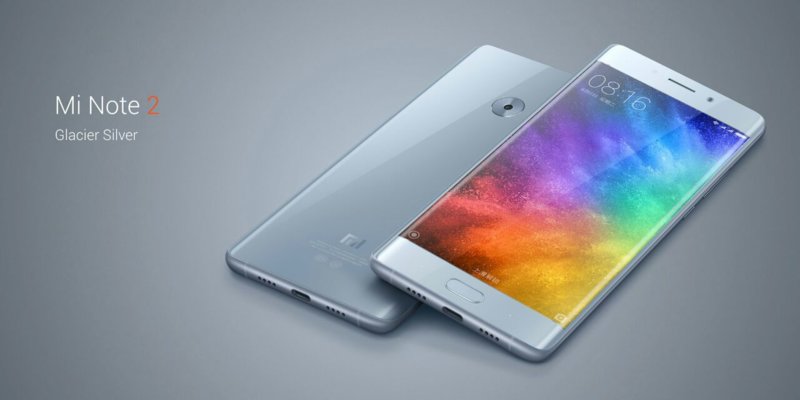
Download MIUI 9 Beta 7.8.17 China Developer For Mi Note 2 Via Fastboot

Download
Download MIUI 9 Beta 7.8.17 China Developer For Mi Note 2

Download Firmware:

MIUI 9 Beta 7.8.17 (2095M)

#1. Turn off the device. Press the Volume– key and the Power button at the same time to enter Fastboot mode. Then connect the device to the Windows PC/laptop via a micro USB cable.

#2.Double click on the downloaded ROM file to decompress it. Open the file folder for the decompressed ROM pack, and copy its path on the computer.

#3.Decompress the MIUI ROM flashing tool downloaded in Step 1, and double click on it to install (if there is security warning, select 'Run'). After installation is completed, open MiFlash.exe and paste into the address bar the ROM file folder path copied in the last step. Click on the first button (circled out in yellow) to Refresh, and MiFlash should automatically recognize the device. Then click the second button (circled out in red) to flash the ROM file to the device.

#4.Wait until the progress bar inside MiFlash turns fully green, which means the ROM has been successfully installed. Then your device should automatically boot to the new version.

#5.(After Mi PC Suite is installed, make sure that your phone is in fastboot mode, connect your phone to a computer, and select the correct ROM file to flash).
Check out the official thread on MIUI forum for more information http://en.miui.com/a-234.html.

Title: Mi Note 2 MIUI 9 Beta 7.8.17 China DeveloperFilename: Mi Note 2 MIUI 9 Beta 7.8.17.tgzFile size: 2095MRequirements: Windows 2000 / XP / Vista / Windows 7 / XP 64-bit / Vista 64-bit / Windows 7 64-bit / Windows 8 / Windows 8 64-bit / Windows 10 / Windows 10 64-bit

- Mi Note 2 7.8.17
- Miui 9 Beta.
- Xiaomi.

Download MIUI 9 Beta 7.8.17 China Developer For Mi MIX Via Fastboot

Download
Download MIUI 9 7.8.17 Beta China Developer For Mi MIX

#1. Turn off the device. Press the Volume– key and the Power button at the same time to enter Fastboot mode. Then connect the device to the Windows PC/laptop via a micro USB cable.

#2.Double click on the downloaded ROM file to decompress it. Open the file folder for the decompressed ROM pack, and copy its path on the computer.

#3.Decompress the MIUI ROM flashing tool downloaded in Step 1, and double click on it to install (if there is security warning, select 'Run'). After installation is completed, open MiFlash.exe and paste into the address bar the ROM file folder path copied in the last step. Click on the first button (circled out in yellow) to Refresh, and MiFlash should automatically recognize the device. Then click the second button (circled out in red) to flash the ROM file to the device.

#4.Wait until the progress bar inside MiFlash turns fully green, which means the ROM has been successfully installed. Then your device should automatically boot to the new version.

#5.(After Mi PC Suite is installed, make sure that your phone is in fastboot mode, connect your phone to a computer, and select the correct ROM file to flash).
Check out the official thread on MIUI forum for more information http://en.miui.com/a-234.html.

Title: Mi MIX Miui 9 7.8.17 BetaFilename: Mi MIX Miui 9 7.8.17 Beta.tgzFile size: 2056MRequirements: Windows 2000 / XP / Vista / Windows 7 / XP 64-bit / Vista 64-bit / Windows 7 64-bit / Windows 8 / Windows 8 64-bit / Windows 10 / Windows 10 64-bit

- Mi MIX Miui 9 7.8.17 Beta
- Miui 9 Beta.
- Xiaomi.

Jumat, 14 April 2017

Custom Rom Andromax R 5.1.1 Miui 8 4G LTE

Download
Custom Rom Andromax R 5.1.1 Miui 8 4G LTE

Download Software:

Download (517M)

  1. Download dulu Custom ROM MIUI 8 Andromax R
  2. Masuk ke TWRP caranya tekan tombol Volume Bawah dan Power, lepaskan apabila telah muncul gambar Smartfren
  3. Di menu TWRP Pilih WIPE terus dibawahnya geser Swipe to factory reset
  4. Kalo udah selesai pilih Install dan pilih file ROM MIUI yang tadi kalian donlot
  5. Dibagian bawah geser Swipe to install
  6. Tunggu sampai selesai,, kalo selesai nanti muncul tombol Reboot Now
  7. Sekarang Reboot dan tunggu sampai masuk ke HomeScreen, prosesnya mungkin sekitar 10-15 menit

Title: Custom Rom Andromax RFilename: miui_RastaMod™_V8.0.2.0.__5.1.1.zipFile size: 517MBRequirements: Andromax R-I46d1gLanguages: Multiple languagesLicense: FreewareDate added: 14-04-2017Author: Andra [ RastaMod™ Team ]Homepage: googledrive.com

ROM INFO
Custom Rom : Miui 8 v8.0.2.0
Android Version : 5.1.1
Release Version : Stable
Compatible Device : Andromax R Base 5.1.1[ I46D1G ]
File size : 516.63 MB
Porting by : Andra [ RastaMod™ Team ]

Rabu, 07 Desember 2016

Download Firmware Xiaomi Max Dan Cara Flash Mi Max/Prime

Download Firmware Xiaomi Max Dan Cara Flash Mi Max/Prime

Download Software:

Free Download (1.3 GB)Stable Rom Firmware Mi Max
Stable Rom Mi Max V8.1.3.0.MBCMIDI (MIUI8) Full Rom

Free Download (1.5 GB)Developer Rom Mi Max
Global Rom Mi Max V6.12.1 (MIUI8) Full Rom

Download Firmware Xiaomi Max Dan Cara Flash Mi Max - Xiaomi baru baru ini telah meluncurkan smartphone terbarunya yang di beri nama MI MAX.

Seperti biasanya nya xiaomi pada saat di luncurkan berbagai versi firmware yang di pasang pada mi max ada firmware versi develover, blogbal cina dan beta.

Bagi para pengguna mi max yang ingin berganti firmware OS silahkan kalian download menurut kebutuhan kalian masing - masing mau pasang firmware versi apa download langsung.

Ada beberapa cara untuk melakukan update atau upgrade firmware mi max dan yang akan saya share kali ini melalui Fasboot Mode, berikut cara nya.

Cara Flash Mi Max Via Fastboot Update

1# Silahkan sobat download Miui Rom Flashing dan apa bila hp kalian belum di unlock silahkan lakukan unlock terlebih dahulu di web resmi xiaomi untuk unlox xiaomi 

# Stable Rom Firmware Mi Max
  • Version: V8.1.3.0.MBCMIDI (MIUI8)
  • Size: 1.3G

# Developer Rom Mi Max
  • Version: 6.12.1 (MIUI8)
  • Size: 1.5G